
Website Design: Why It Is a Business Decision, Not Just a Design Job
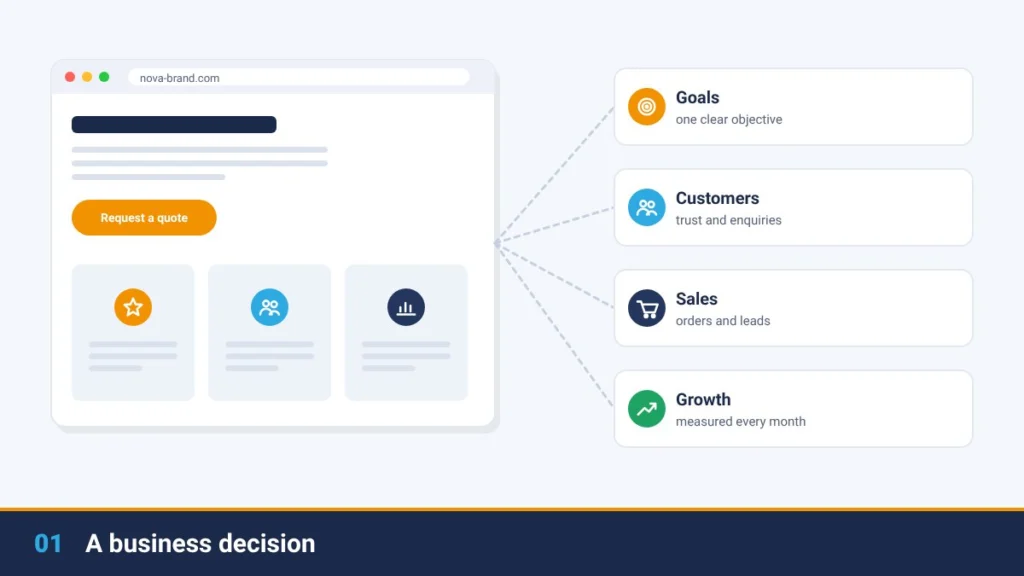
Almost every business owner who calls us says the same sentence: “I want a website.” It is the right start, but it is only half a sentence. Website design is not about getting a few attractive pages online. It is about building a tool that does a job for your business every day: answering questions, earning trust, bringing enquiries, taking orders or recruiting people, even while you sleep.
The web has come a long way since Tim Berners-Lee put the first website online at CERN in 1991. Today your customers judge you by your site before they ever call you. Researchers led by Gitte Lindgaard showed in 2006 that people form a first visual impression of a web page in about 50 milliseconds, faster than they can read a single word.
In this guide we share what we have learned designing and developing websites at UpGrade: the types of websites that exist, how to choose the right one for your goal, what makes a website succeed, why so many sites fail after launch, and how to choose a team that can build yours. If you are already planning a project, you can also see our website design and development service.
Key takeaways
- Website design is a business decision. A good website is planned around one clear goal, built for mobile and speed, and marketed from the day it launches.
- Purpose comes first. Selling, generating leads, building trust, recruiting or teaching each need a different type of site, structure and budget.
- There are many types of websites. Corporate, service, e-commerce, startup, landing page, portfolio, content, e-learning, community, non-profit and more, each with its own must-have features.
- Launching and leaving is the most expensive mistake. A site with no SEO, content or marketing gets no visitors, and an outdated or broken site can hurt your reputation.
- Below you will find every website type, the success factors, how to measure return on investment, how to choose and brief an agency, a checklist and answers to common questions.
What Website Design Really Includes
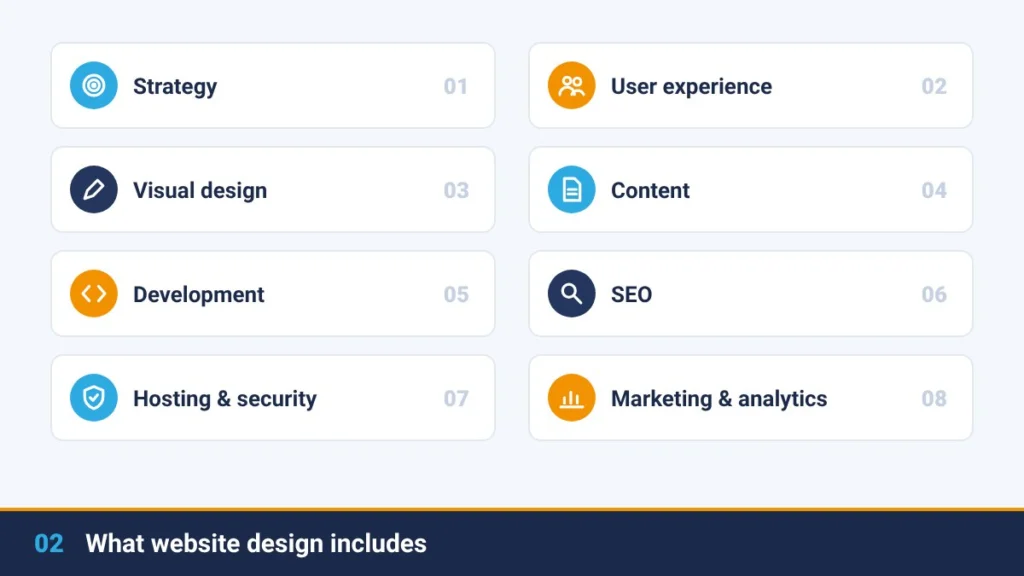
Many people think website design means choosing colours and a template. In reality a professional project has several layers, and the visual layer is only one of them. Strategy defines who the site is for and what it must achieve. User experience (UX) plans the structure, pages and the path a visitor takes. Visual design (UI) turns that plan into a branded interface.
Content is the words, photos and videos that actually persuade people. Development turns the design into fast, secure code or a well-configured platform such as WordPress or Shopify. SEO makes the site understandable to Google. Hosting, security and maintenance keep it online and safe. Analytics and marketing bring visitors and measure what they do.
When one layer is missing, the whole site suffers. A beautiful design with weak content will not convert. Great content on a slow server will not be seen. That is why we treat a website as part of your brand system, connected to your visual identity, your photography and your social media, not as a separate island.
Start With Purpose: How to Define Your Website’s Objectives
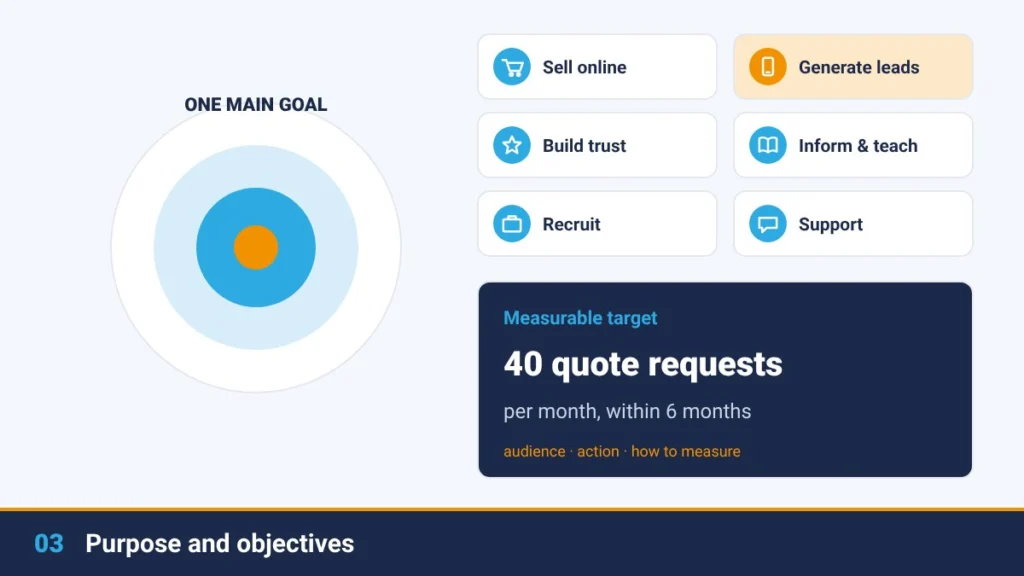
Before anyone draws a single page, answer one question honestly: what is this website for? The most common purposes are selling products online, generating leads (calls, WhatsApp messages, quote requests), building credibility for a company, informing or educating an audience, recruiting staff, and supporting existing customers.
A site can serve several purposes, but it needs one main objective that wins when priorities clash. An e-commerce store that puts its company history above its products confuses visitors. A consultancy that hides its contact button below long paragraphs loses enquiries. The main objective decides the home page, the menu and the main call to action.
Then turn the purpose into measurable targets. Instead of “more customers”, write “40 qualified quote requests a month within six months” or “300 online orders a month by the end of the year”. Add who the audience is, which actions you want them to take, and how you will measure them (form submissions, calls, sales, sign-ups). This short document becomes the brief that guides every design decision.
Try this: complete the sentence “A visitor who lands on our website should be able to ______ in under one minute.” If you cannot finish it in one line, the purpose is not clear yet, and no designer can fix that for you.
Types of Websites: A Map of Every Kind You Can Build
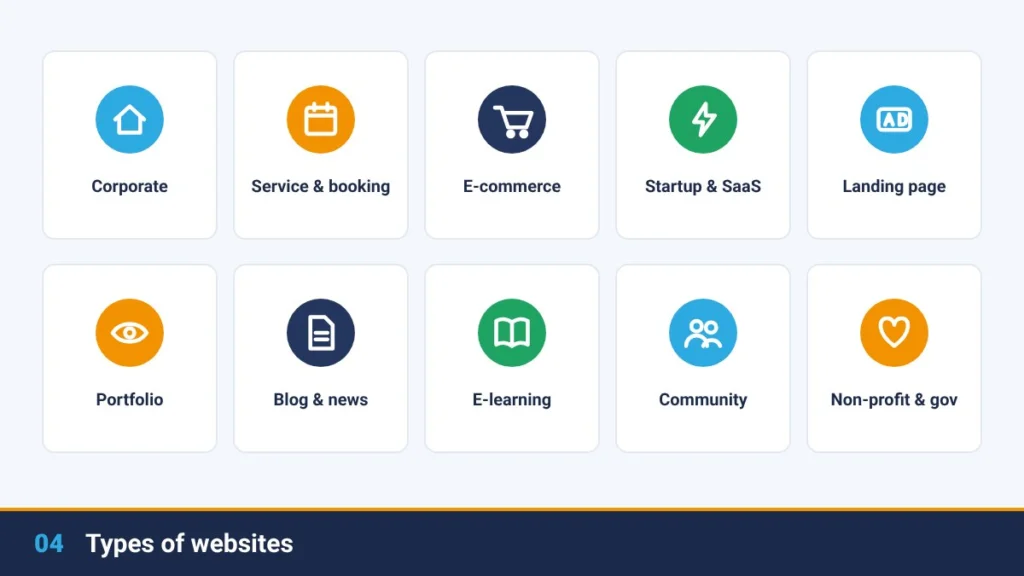
There is no single “best” website. The right type depends on your purpose, your audience and how you make money. Around the world, websites fall into a few large families: business and corporate sites, selling sites, product and platform sites, campaign sites, personal and portfolio sites, content sites, and community, education and public-service sites.
Each family has sub-types with very different features. A restaurant needs a menu and reservations, a clinic needs doctor profiles and booking, a fashion brand needs a catalogue and checkout, and a SaaS startup needs a product explanation, pricing plans and a sign-up flow. Choosing the wrong type is like renting a shop in the wrong street.
In the next sections we go through every type, what it is for, and the features it must have. At the end of this part you will find a reference table that summarises them all, so you can quickly match your business to the right kind of website.
Corporate and Company Websites
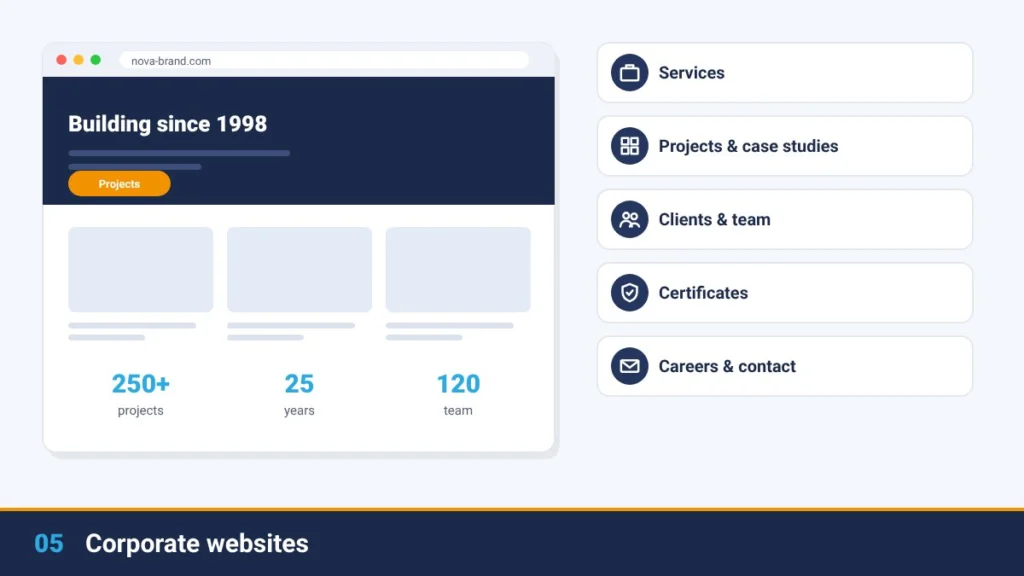
A corporate website presents a company to clients, partners, investors and future employees. Contracting firms, factories, consultancies, holding groups and B2B suppliers rely on it to look established and trustworthy. Its job is credibility first and enquiries second.
A strong corporate site usually includes a clear statement of what the company does, services or business lines, real projects or case studies, clients and partners, certificates and quality standards, leadership or team, news, careers, and easy contact details for each branch. Large groups often add an investor relations section and downloadable company profiles.
The design should be calm, structured and consistent with the brand guidelines. Real project photos and numbers (years, projects completed, team size) work far better than stock images and slogans. You can see this approach in our Haval International Contracting website and other projects in our portfolio.
Small Business, Service and Booking Websites
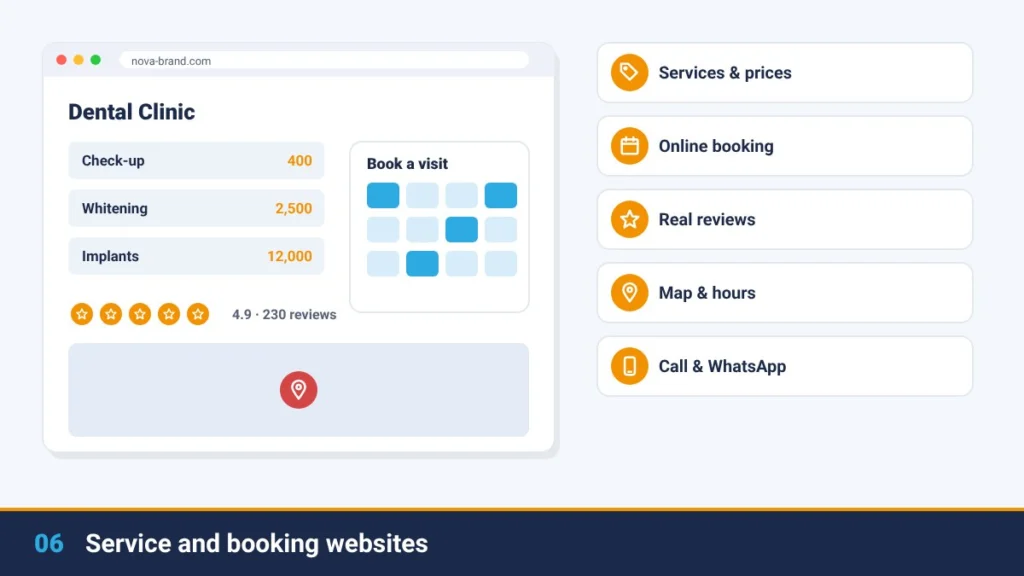
Clinics, law firms, salons, gyms, restaurants, schools, workshops and local shops need a service website. The visitor usually arrives with an urgent, practical question: can you solve my problem, how much does it cost, where are you, and how do I book? The design must answer these four questions within seconds.
The essential features are a clear list of services, prices or price ranges where possible, real photos of the place and the team, reviews, a map and working hours, click-to-call and WhatsApp buttons, and a booking or reservation system when appointments matter. Hotels, travel agencies and event venues extend this with availability calendars and online payment.
For local businesses the website works hand in hand with a Google Business Profile, because many customers find you through Google Maps first. Medical sites such as the Dr. Hazem Ayoub website we designed show how doctor profiles, specialities and booking can live in one simple, reassuring structure.
E-commerce Websites: Online Stores, Marketplaces and Subscriptions
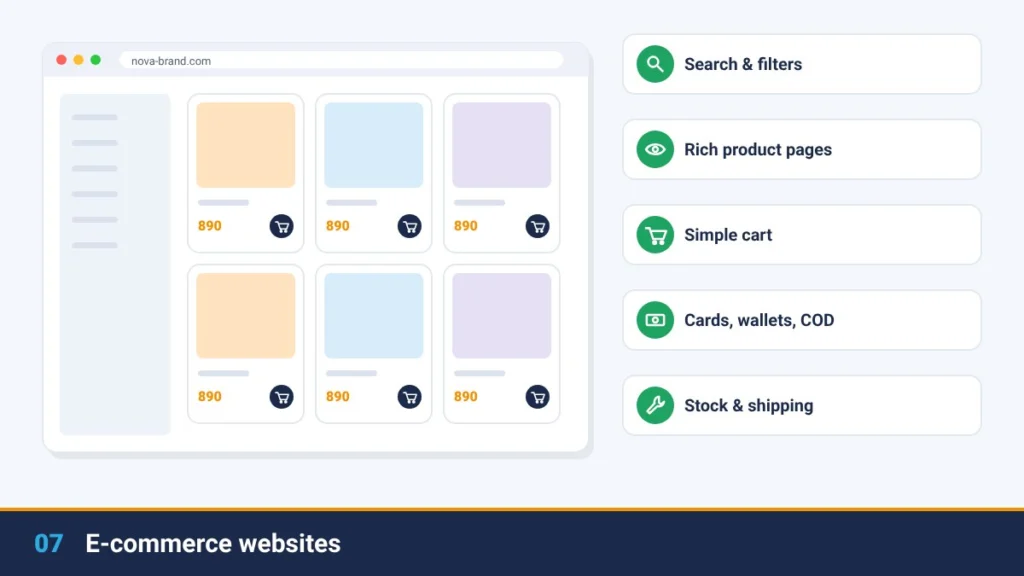
An e-commerce website sells directly online. The main models are B2C stores (a brand selling to consumers), D2C brands that skip retailers, B2B stores with wholesale prices and bulk orders, multi-vendor marketplaces where many sellers list products, subscription stores that bill monthly, and digital product stores selling courses, software or downloads.
Every store needs the same backbone: fast product listing pages with filters and search, rich product pages (several photos, sizes, price, stock, delivery time, return policy), a simple cart, a short checkout, trusted payment options and order tracking. In Egypt that often means cards, wallets, instalments and cash on delivery side by side, connected through a local payment gateway.
Behind the shop window sits the operation: inventory, shipping integration, invoices, customer accounts, abandoned-cart reminders and reports. Platforms such as WooCommerce (on WordPress) or Shopify suit most stores. Very large catalogues or unusual business rules may justify a custom build. Product photography is not a detail here; it is the product.
Some brands only need a catalogue website: products with prices and an enquiry or WhatsApp button, without online payment. It is a smart first step for wholesalers, furniture makers or gift suppliers who close deals by phone.
Startup and Business-Idea Websites: SaaS, Platforms and MVPs
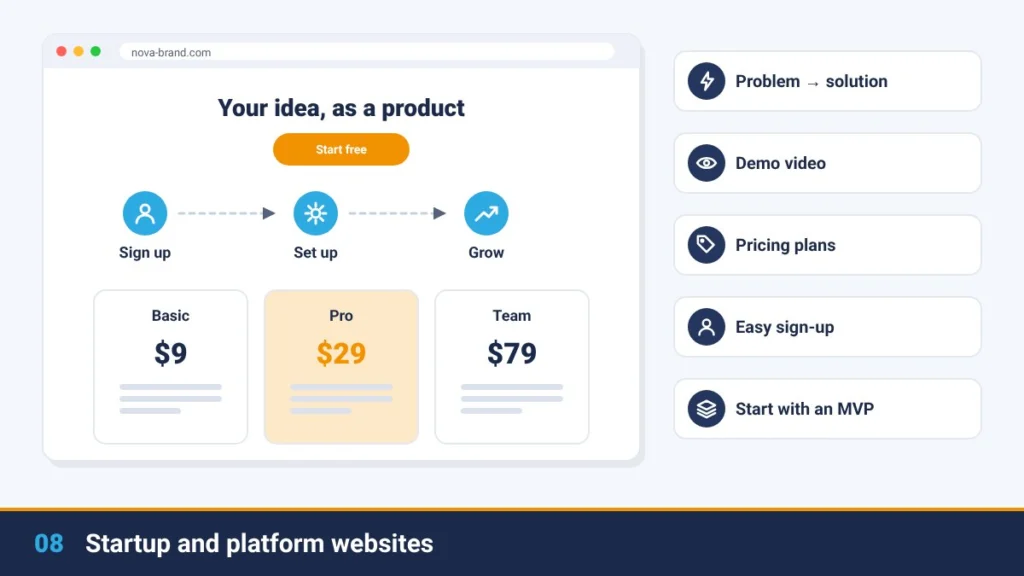
When the website is the business, we are talking about a product or platform: a SaaS tool, a booking platform, a delivery app, a job board, a two-sided marketplace or an online community. Here you usually need two things: a marketing site that explains the idea and convinces people to sign up, and the web application itself.
Founders often try to build the full platform at once. A wiser path is an MVP (minimum viable product): the smallest version that proves people want the idea. Sometimes that is just a strong landing page with a waiting list; sometimes it is a simple working version with the one core feature. You learn from real users before spending the full budget.
A startup marketing site should explain the problem, the solution and how it works in three steps, show the product (screens, demo video), present clear pricing plans, answer objections in an FAQ and make signing up effortless. Trust elements such as early customer quotes, partners or press mentions matter even more, because the brand is new.
Web apps that should feel like mobile apps can be built as progressive web apps (PWAs), a term introduced by Google engineers in 2015: they can be installed on the home screen and work partly offline. The UP Academy learning platform we built is an example of a web application rather than a simple website.
Landing Pages, Campaign Sites and Microsites
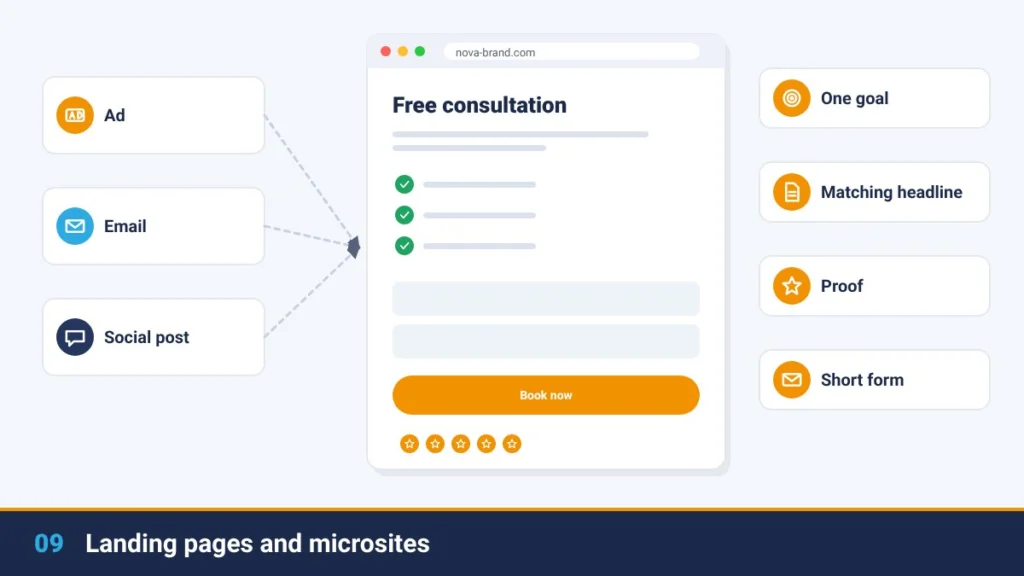
A landing page is a single page built for one action: book a consultation, download a brochure, register for an event or buy one offer. Visitors usually arrive from an ad, an email or a social media post, so the page must continue that exact message without distractions such as a full menu.
The classic structure is a clear headline that matches the ad, a short list of benefits, proof (reviews, numbers, logos), the offer, answers to objections and one repeated call to action with a short form. Because every visitor is paid for, small changes in the headline or form length can change results a lot, which is why landing pages are tested and improved constantly. Read more in our guide to creating a successful advertising campaign.
A campaign site or microsite is a small separate site for a product launch, an exhibition, a real estate project or a seasonal campaign. A one-page website puts a small business’s whole story on one scrolling page. Both are fast to build and useful, but they should not replace a complete website when you need SEO and long-term growth.
Portfolio and Personal Brand Websites
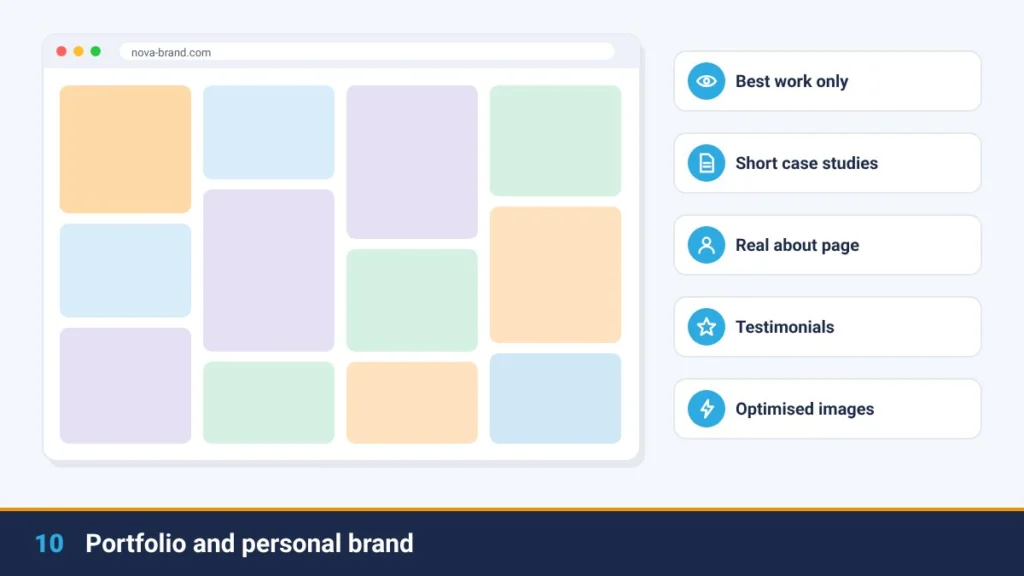
Designers, photographers, architects, artists, consultants, doctors, speakers and freelancers need a portfolio or personal brand website. Its job is to show the quality of your work and the way you think, then make it easy for the right clients to contact you.
The best portfolios show fewer but better projects, each with a short case study: the client’s problem, your approach, the result and a few strong visuals. A clear “about” page with a real photo, your services, testimonials and a simple contact path complete the picture. A personal site also gives you a home you control, unlike social media profiles that can change their rules at any time.
Because portfolio sites are image-heavy, image optimisation (modern formats like WebP, correct sizes, lazy loading) is essential to keep them fast. Professional photography and video makes the biggest difference to how the work is perceived.
Content Websites: Blogs, Magazines and News
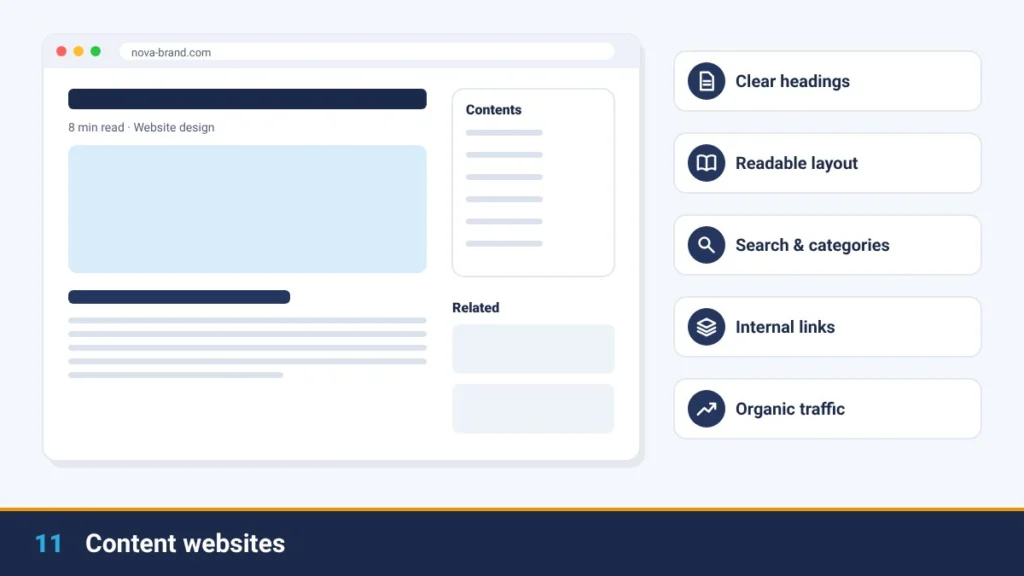
A content website earns attention through articles, guides, videos or podcasts: blogs, online magazines, news portals, recipe sites, review and comparison sites, and knowledge bases. Some make money through advertising, affiliate links or subscriptions; others exist to bring a business organic traffic and authority.
Good content design is about reading comfort: a clear typographic hierarchy, comfortable line length and line height, descriptive headings, images that explain, internal links to related articles, a search function and categories that make sense. Page speed matters even more, because content sites live on search traffic.
Even if your main site is corporate or e-commerce, a blog section is one of the most effective SEO tools you have, because every helpful article answers a question your future customers are already typing into Google. Avoid the common content writing mistakes and publish regularly.
Education, Community, Non-profit and Public-Service Websites
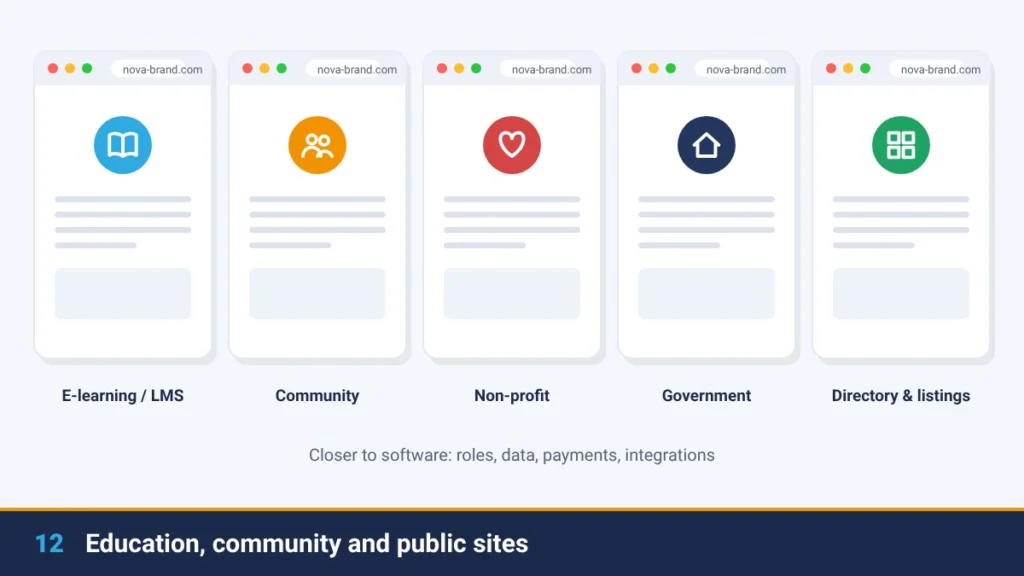
E-learning websites and learning management systems (LMS) host courses, lessons, quizzes, certificates and student accounts, for academies, training centres, schools and universities. Our work on the EPSN training website is an example of a training-focused site. Payment, video protection and progress tracking are key features.
Membership and community websites include forums, clubs, professional associations and paid communities, with member profiles, private content and discussions. Non-profit and charity websites tell stories of impact and need an easy, trusted donation path. Government and institutional websites prioritise clarity, accessibility and services that citizens can complete online.
There are also directory and listing websites: real estate portals, job boards, classified ads, business directories and comparison sites. Their heart is a database with powerful search and filters, user accounts and listing management. Event websites handle agendas, speakers and ticketing, while intranets and portals serve employees or partners behind a login.
These sites are closer to software projects than to brochure sites. They need careful planning of user roles, permissions, data and integrations, so they deserve a longer discovery phase and a team with real development experience.
| Website type | Main goal | Must-have features | Key metric |
|---|---|---|---|
| Corporate / company | Credibility and B2B enquiries | Services, projects, clients, certificates, careers | Qualified enquiries |
| Service and booking | Bookings and calls | Prices, reviews, map, WhatsApp, booking system | Bookings and calls |
| E-commerce store | Online sales | Catalogue, filters, cart, checkout, payments | Revenue and conversion rate |
| Catalogue site | Enquiries for products | Products, prices, enquiry or WhatsApp button | Product enquiries |
| Startup / SaaS / platform | Sign-ups and paying users | Explainer, demo, pricing plans, sign-up, web app | Sign-ups and retention |
| Landing page / microsite | One campaign action | Matching headline, proof, offer, short form | Cost per lead |
| Portfolio / personal brand | Show work, win clients | Case studies, about, testimonials, contact | Contact requests |
| Blog / magazine / news | Traffic and authority | Categories, search, readable layout, internal links | Organic traffic |
| E-learning / LMS | Course sales and learning | Courses, accounts, payments, progress, certificates | Enrolments and completion |
| Community / membership | Engaged members | Profiles, private content, discussions | Active members |
| Non-profit / government | Donations or public services | Impact stories, donation path, accessible services | Donations or completed services |
| Directory / listings | Matches between users | Database, search, filters, user listings | Listings and contacts |
What Makes a Website Successful?
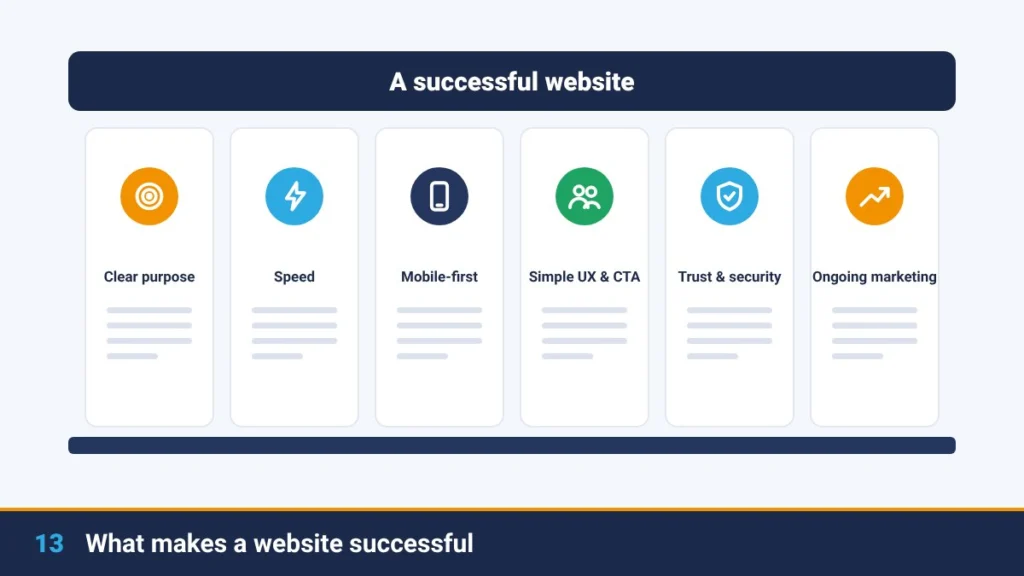
A successful website is not the one with the most animations. It is the one that achieves its objective consistently. Across the projects we have built and reviewed, the successful sites share the same pillars: a clear purpose, speed, mobile-first design, a simple user experience with clear calls to action, trust and security, and continuous marketing and improvement.
Why do these pillars matter so much? Because visitors are impatient and sceptical. In Stanford’s web credibility research led by B. J. Fogg (2002), 46.1% of the participants’ comments about a site’s credibility referred to its visual design and layout. People use design as a shortcut for judging whether a business is real and professional. You can read the Stanford Web Credibility Guidelines for the full list.
Success also depends on the fit between the site and the business behind it. A beautiful site cannot fix slow replies to enquiries, unclear prices or poor service. The best results come when the website, the sales team and the marketing plan work as one system.
Website Speed and Core Web Vitals
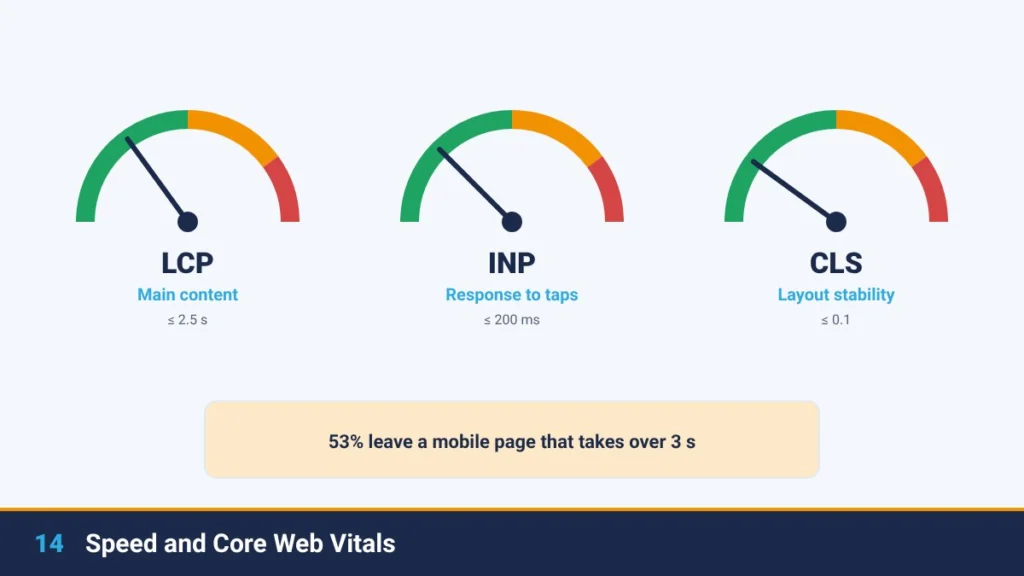
Speed is the first experience a visitor has with your website. Google research published on Think with Google reported that 53% of mobile visits are abandoned if a page takes longer than three seconds to load. Every extra second costs attention, sales and ranking.
Google measures real-user experience with three Core Web Vitals: Largest Contentful Paint (LCP), how fast the main content appears, ideally within 2.5 seconds; Interaction to Next Paint (INP), how quickly the page responds to taps and clicks, ideally under 200 milliseconds (it replaced First Input Delay in March 2024); and Cumulative Layout Shift (CLS), how much the layout jumps while loading, ideally below 0.1.
The usual speed killers are huge images, heavy page builders, too many plugins and scripts, cheap overloaded hosting and no caching. The fixes are equally clear: compressed modern images, a light theme, caching, a good server or CDN, and loading only what each page needs. When we rebuilt our own site we targeted these numbers from the first day, not as an afterthought.
Mobile-First and Responsive Website Design
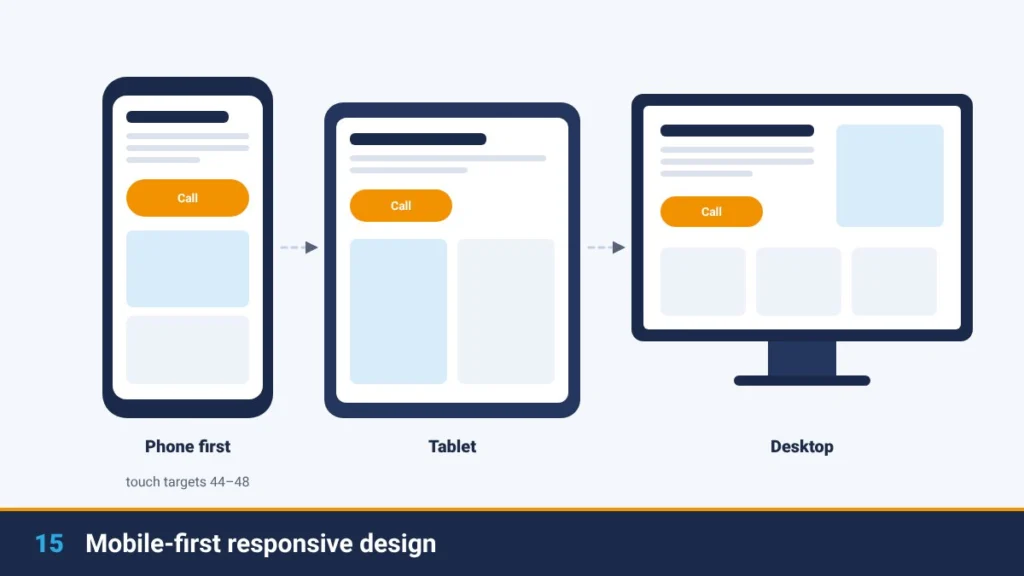
Most visitors in Egypt and the Gulf browse on their phones, and Google now uses mobile-first indexing, which means it mainly looks at the mobile version of your site to rank it. Designing for desktop and “shrinking” it later no longer works. The term responsive web design was coined by Ethan Marcotte in an A List Apart article in 2010, and today it is the baseline, not a feature.
Mobile-first means planning the small screen first: the most important message and button at the top, short paragraphs, readable text of at least 16 pixels, menus that are easy to open, and forms with as few fields as possible. Buttons need generous touch targets: Apple recommends at least 44 points and Google’s Material Design 48 density-independent pixels.
Test on real phones, not only in a resized browser window. Check how the page looks on a mid-range Android phone on a mobile connection, because that is how many of your customers will see it.
User Experience and Conversion: Turning Visitors Into Customers
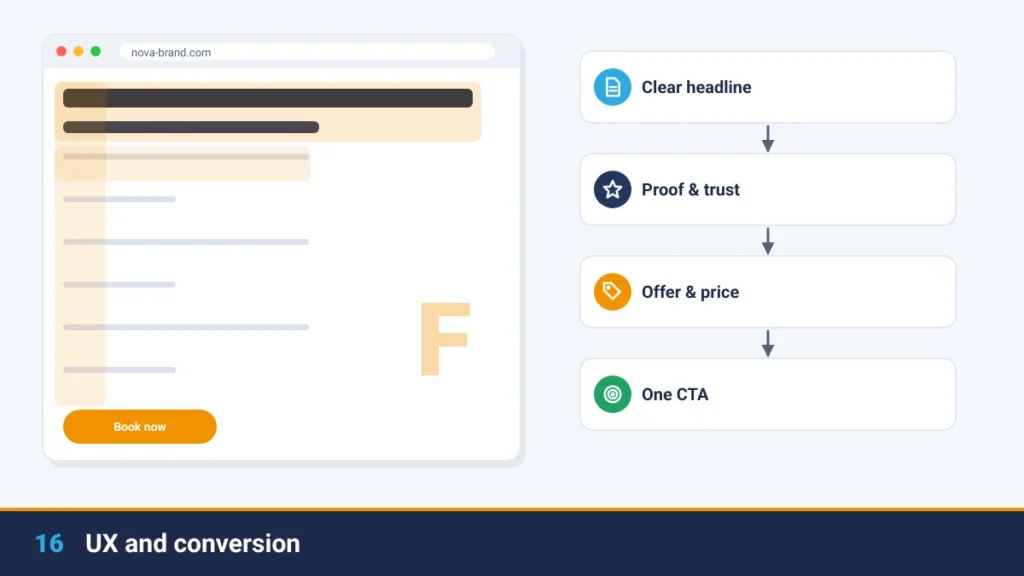
User experience is how easy and pleasant it is to get things done on your site. Visitors scan rather than read: eye-tracking studies by the Nielsen Norman Group in 2006 described the famous F-shaped pattern, where people read the first lines and then scan down the left side. That is why headings, short paragraphs and bold key phrases matter.
Every page should have one main call to action (CTA): “Request a quote”, “Book now”, “Add to cart”. Make it visible, repeat it after key sections and make the next step effortless. Jakob Nielsen’s 10 usability heuristics (1994) are still an excellent checklist: show the system status, speak the user’s language, prevent errors and keep things consistent.
Conversion rate optimisation means improving the share of visitors who take action. Simple changes often bring the biggest gains: a clearer headline, real photos, prices or “starting from” prices, fewer form fields, a WhatsApp button and trust signals near the CTA. Measure before and after each change instead of guessing.
Trust, Security and Credibility
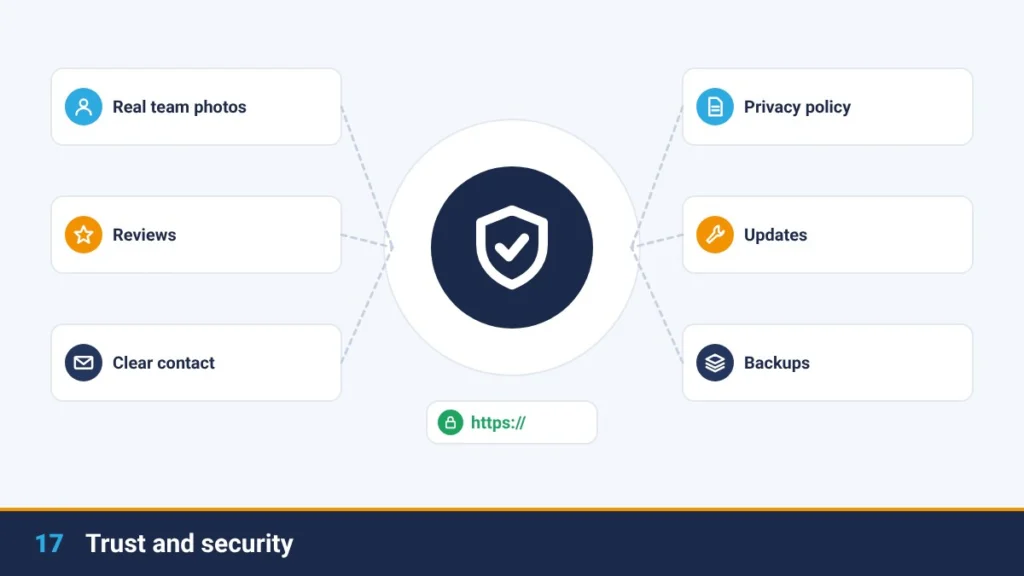
People will not buy from or contact a business they do not trust. Trust starts with the basics: HTTPS on every page (Chrome has labelled plain HTTP pages “Not secure” since 2018), a professional domain and email, real addresses and phone numbers, and clear policies for privacy, delivery and returns.
Then add proof: real photos of your team and work, client logos (with permission), reviews, case studies, certificates and media mentions. Our own clients page exists for exactly this reason. Inconsistent design or outdated information does the opposite: a site that still shows last year’s offers makes visitors wonder whether the company is still active.
Behind the scenes, security protects your reputation: updated software and plugins, strong passwords and two-factor login, a firewall, regular off-site backups and monitoring. Hacked sites can be used to publish spam or redirect visitors, and Google may warn people away from them. If you collect personal data, respect data protection rules such as Egypt’s Personal Data Protection Law No. 151 of 2020 and the EU’s GDPR when you serve European customers.
Arabic and Bilingual Website Design
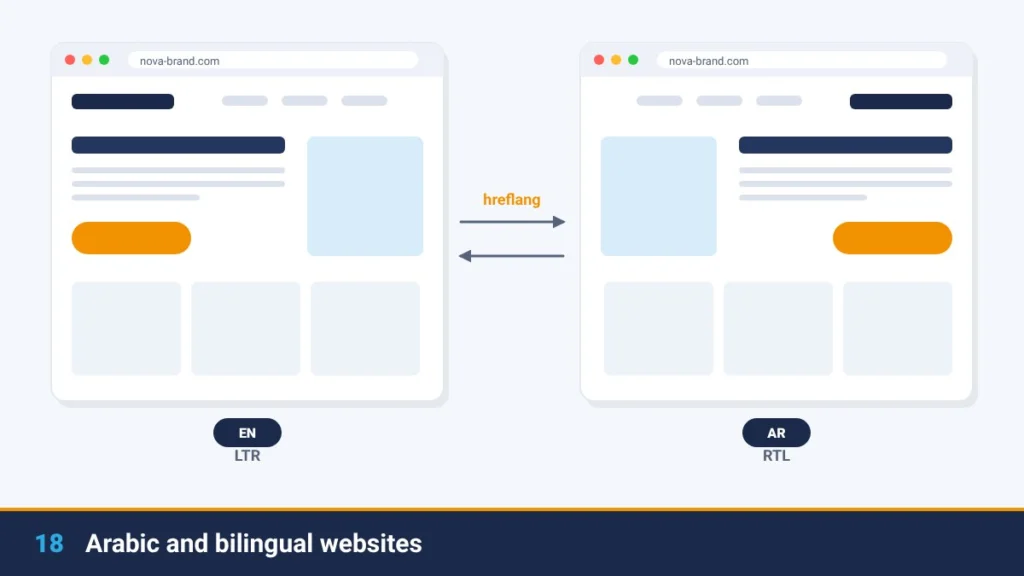
For businesses in Egypt and the Arab world, a bilingual Arabic and English website is often essential. But an Arabic version is not just translated text. It needs a full right-to-left (RTL) layout: the menu, icons, arrows, sliders and reading order are mirrored, and numbers and Latin brand names must sit correctly inside Arabic sentences.
Arabic typography needs its own care: a well-designed Arabic font (we use Almarai on our own site), slightly larger sizes and more generous line height than Latin text, and no letter-spacing, which breaks Arabic joining. Content should be written for Arabic readers, not translated word by word, because people search with their own phrases.
For SEO, each language should have its own URLs, titles and descriptions, and the pages should be linked with hreflang tags so Google shows the right version to each audience. A good multilingual setup also keeps the design, menus and forms consistent in both languages.
The Biggest Mistake: Launching a Website and Leaving It
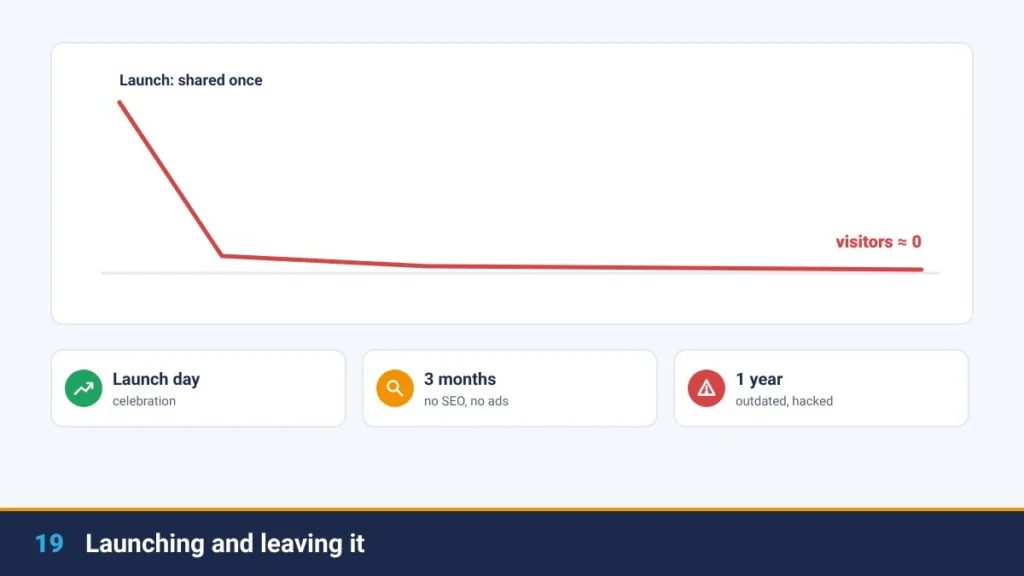
This is the mistake we see most often, and it is the most expensive. A company pays for a website, celebrates the launch, shares the link once on Facebook and then forgets it. There is no SEO, no content plan, no ads, no analytics and no updates. Months later the owner says: “The website did nothing for us.”
The truth is that a website is not a billboard on a busy street. It is more like a shop in a huge invisible city with over a billion addresses. Nobody finds it by chance. Without search optimisation, links, content and promotion, it simply has no visitors, so it cannot bring any results.
Worse, an abandoned site can backfire. Old prices, discontinued products, broken forms that send enquiries nowhere, phone numbers that no longer work, a 2019 copyright line and unpatched plugins that get hacked all tell visitors that the business is careless or closed. In these cases no website might literally be better than a neglected one.
Why SEO and Marketing Must Start on Launch Day
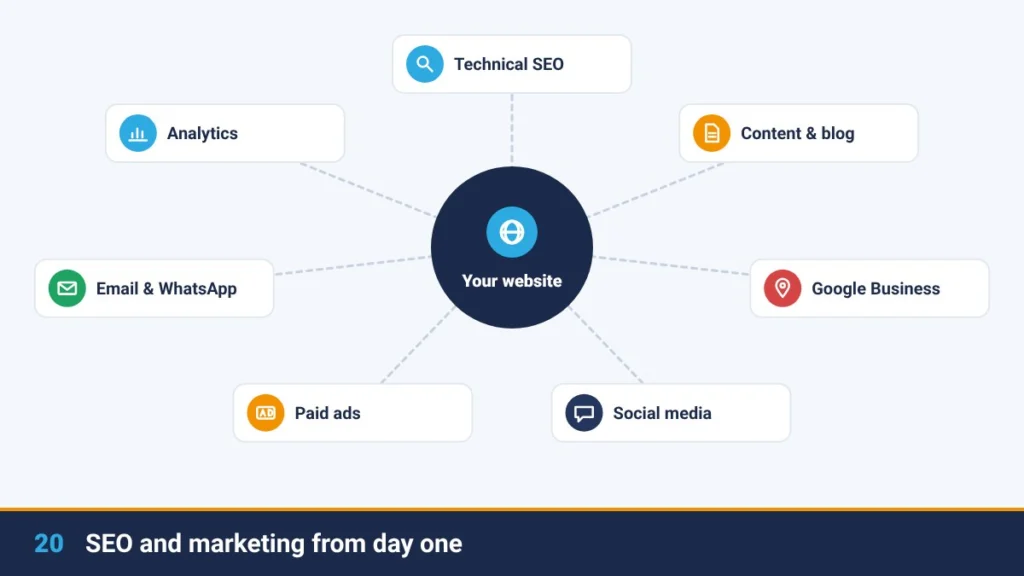
A website starts working when traffic starts flowing. SEO (search engine optimisation) helps people find you on Google for the questions and services they search. It includes technical SEO (speed, indexing, sitemap, structured data), on-page SEO (titles, descriptions, headings, content) and authority (quality links and mentions). If the term is new to you, start with our article What Is the Meaning of Search Engine Optimization?.
SEO takes months to build, so combine it with faster channels: a Google Business Profile for local searches, social media marketing that sends people to specific pages, paid search and social ads to landing pages, email or WhatsApp follow-ups and regular blog content. Each channel should point to a page designed for that visitor, not just the home page.
Finally, install analytics from day one: Google Analytics, Google Search Console and conversion tracking for forms, calls and sales. These tools tell you which pages work, where visitors leave and what to improve. At UpGrade we include the SEO launch setup in our website work and offer ongoing SEO packages for businesses that want steady growth.
Website as an Investment: Costs, Returns and How to Measure ROI
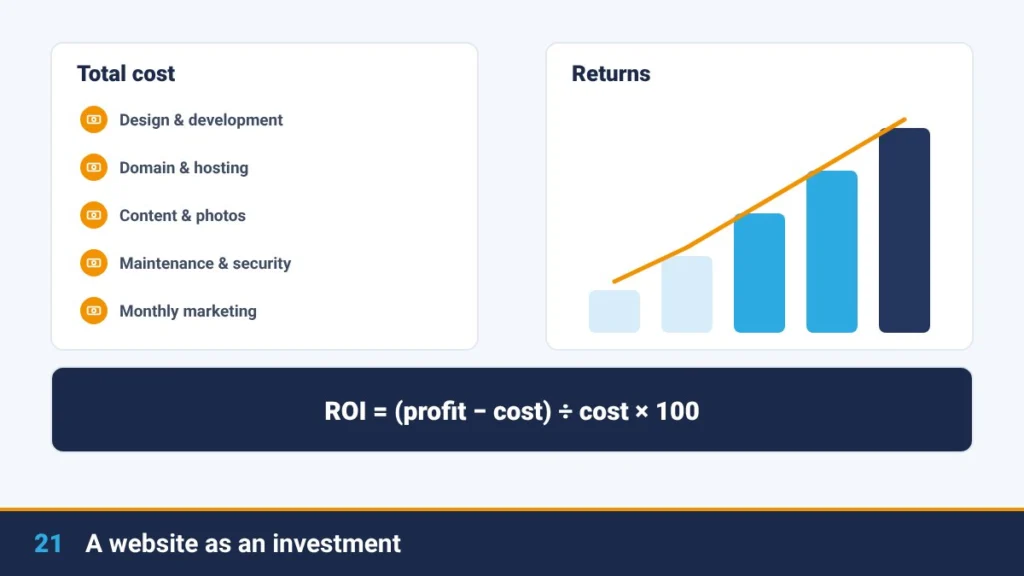
A website is an investment when it brings back more than it costs. To judge it properly, look at the total cost of ownership: design and development, domain and hosting, licences and plugins, content and photography, maintenance and security, and the monthly marketing that brings visitors. Comparing only the design price is misleading.
Then measure the returns. For an e-commerce store it is online sales. For a service business it is leads multiplied by your close rate and the average value of a customer. A simple formula helps: ROI = (profit generated by the website − total cost) ÷ total cost × 100. If a site that costs 60,000 EGP a year brings 20 new clients worth 10,000 EGP profit each, it has generated 200,000 EGP, an ROI of over 230%.
Cheap sites often end up the most expensive: rebuilt after a year because they are slow, hard to edit, insecure or impossible to rank. A well-planned site on a solid platform can serve you for many years with regular improvements. You can compare our website packages and what each includes on our pricing page.
How to Choose a Website Design Agency
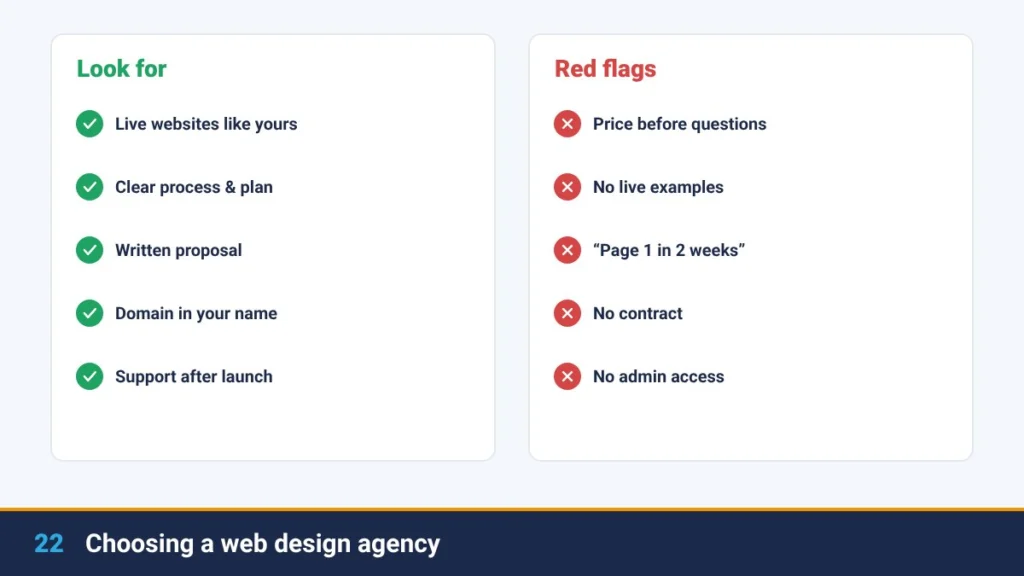
Choosing who builds your website matters more than choosing the colour palette. Start with the portfolio: look for real, live websites similar in type and complexity to yours, open them on your phone, and check their speed. Screenshots alone are not enough.
Next, look at the process. A professional agency asks about your business, goals and audience before quoting, presents a clear plan (discovery, sitemap, wireframes, design, development, testing, launch, training) and gives you a written proposal with scope, timeline and payment milestones. We wrote a broader guide on the criteria for choosing a digital marketing agency that applies here too.
Watch for red flags: a price given before any questions, no live examples, vague promises like “first page of Google in two weeks”, the domain or hosting registered in the agency’s name instead of yours, no contract, no mention of maintenance, and no access to your own website’s admin area. Ownership of your domain, content and accounts should always be yours.
Skills Your Website Agency or Web Designer Must Have
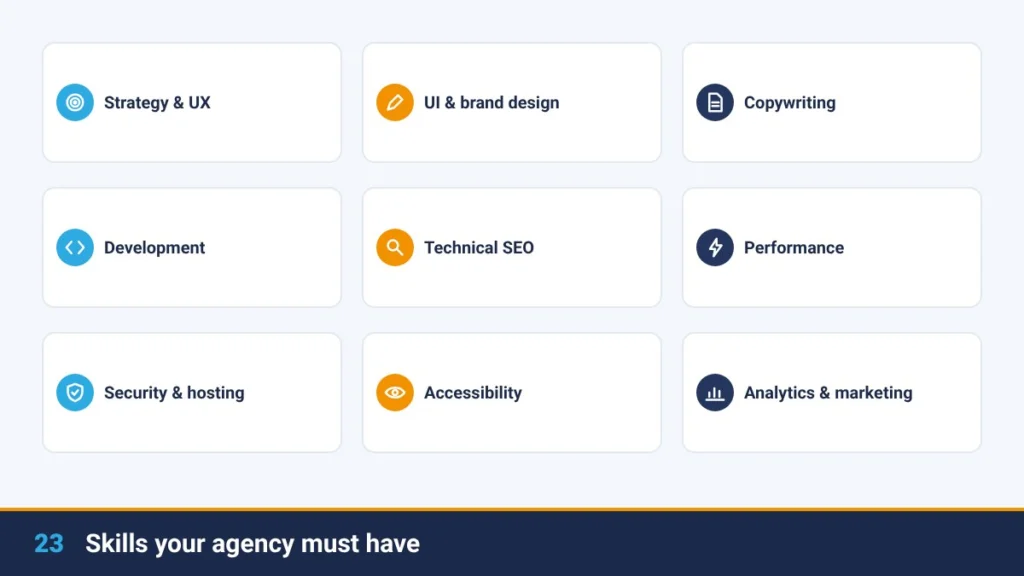
A complete website needs more skills than one person usually has. Look for strategy and UX (understanding business goals and planning user journeys), UI and brand design, copywriting in your languages, front-end and back-end development, and solid knowledge of the platform being used, such as WordPress, WooCommerce or Shopify.
Equally important are technical SEO, performance optimisation, security and hosting, accessibility (for example, the WCAG 2.2 rule of a 4.5:1 contrast ratio for normal text), analytics and digital marketing. For e-commerce, add payment and shipping integrations; for bilingual sites, real RTL experience.
A freelancer can be a great choice for a small, simple site if they are honest about their limits. For a business-critical site, an agency with a team covering design, development, content and marketing reduces risk. Beyond skills, look for soft qualities: clear communication, respect for deadlines, willingness to explain, and support after launch.
Questions to Ask Before You Hire Anyone to Build Your Website
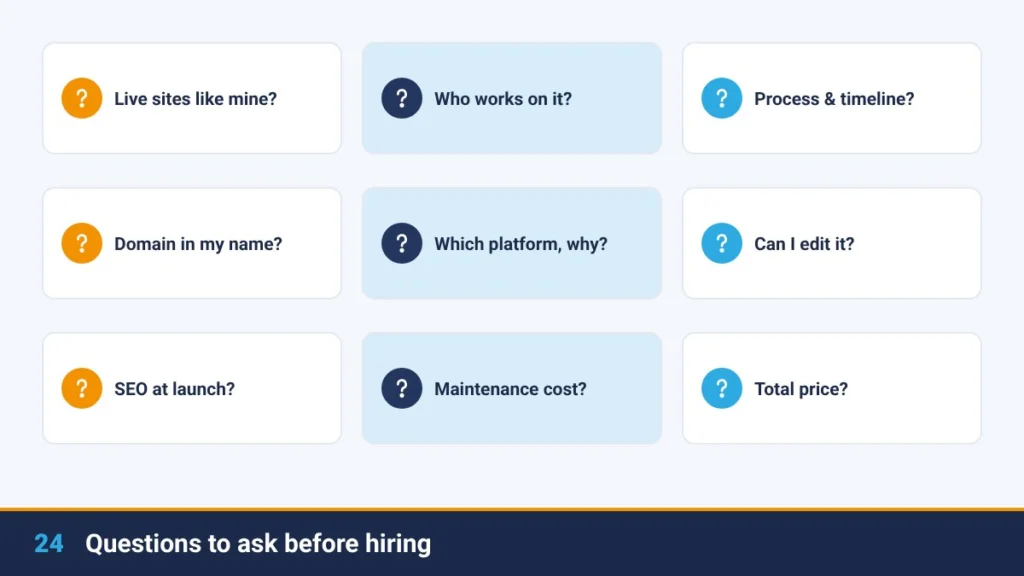
When you say “I want a website”, a good agency answers with questions about your goals. You should ask yours too. Start with: Can I see live websites you built that are similar to mine? Who exactly will work on my project? What is your process and timeline, and what do you need from me?
Then cover ownership and technology: Will the domain, hosting and admin accounts be in my name? Which platform will you use and why? Can I edit content myself, and will you train my team? Is the site responsive, fast and secure, and how do you test that?
Finally ask about growth and money: What SEO is included at launch? Do you offer maintenance, backups and support, and at what cost? What is the total price, what is not included, and how are payments split? What happens if I want changes after launch? Clear written answers to these questions protect both sides.
Prepare your side as well: your objective, target audience, the pages you think you need, examples of sites you like and dislike (and why), your logo and brand guidelines, content and photos you already have, your budget range and your deadline. A clear brief saves weeks and money.
Common Website Design Mistakes to Avoid
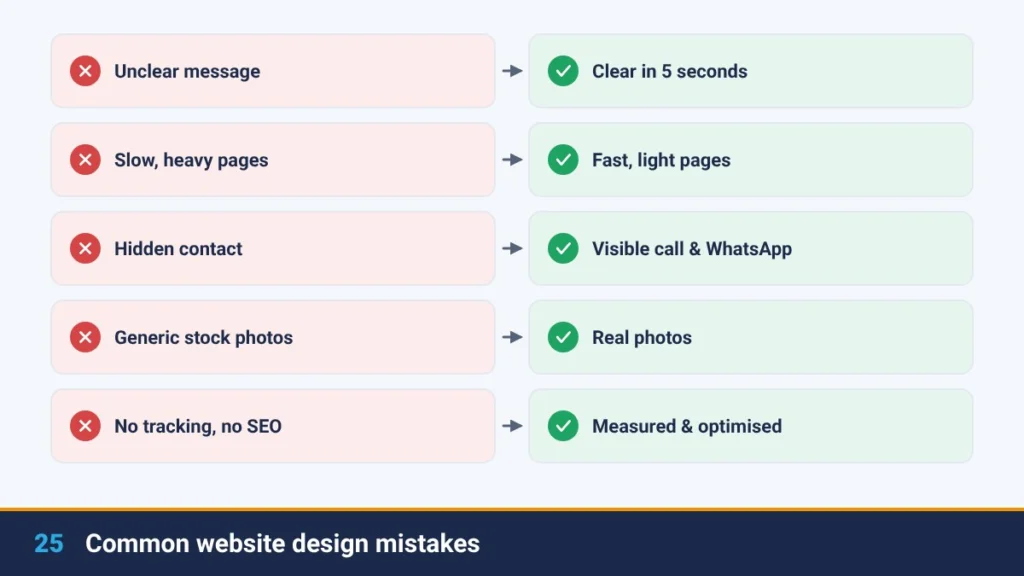
Most failing websites make the same mistakes. No clear message: the visitor cannot tell in five seconds what you do and for whom. Designed for the owner, not the customer: long company history at the top instead of the services and benefits people came for.
Slow and heavy pages, endless sliders, pop-ups that cover everything, and tiny text on mobile. Hidden contact details or forms that are too long. Generic stock photos that make every company look the same, and inconsistent colours and fonts that weaken the brand. Our article on colour theory in design explains why consistent colour choices matter.
No tracking, no SEO and no updates, as discussed above. And finally, choosing a supplier on price alone, then discovering you do not own your domain or cannot edit your own site. Every one of these mistakes is easy to avoid if you plan before you build.
Website Design Checklist
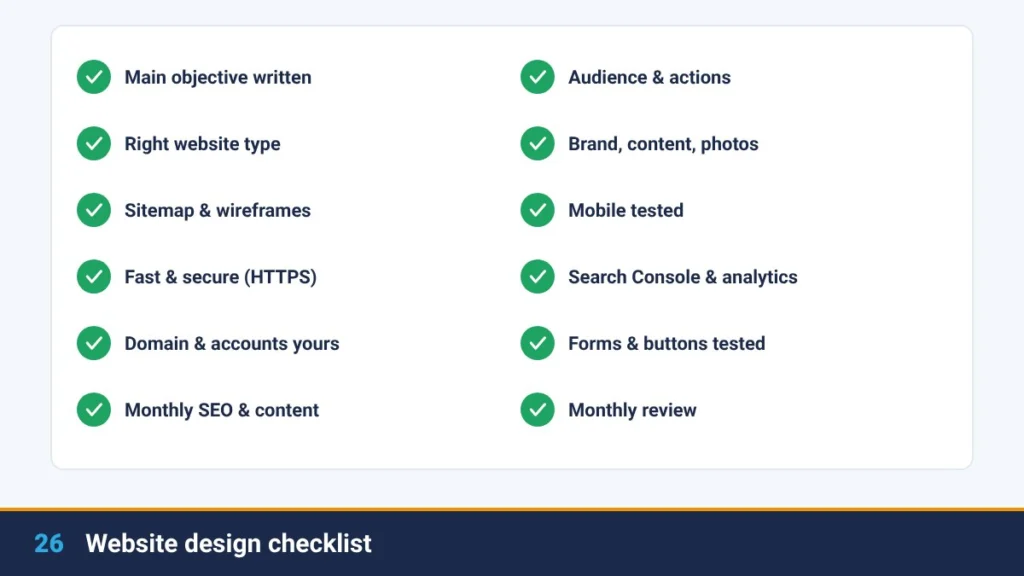
Before you start, write down your main objective, your audience, the actions you want visitors to take and how you will measure them. Choose the right type of website for that objective and list the must-have features. Prepare your brand assets, real photos and content, or plan who will create them.
When choosing a team, check live work, the process, the skills of the people involved, ownership of your domain and accounts, the total cost including maintenance and marketing, and the support after launch. During the build, review the sitemap and wireframes before the visual design, and test on real phones before launch.
At launch, make sure the site is fast, secure with HTTPS, mobile-friendly, connected to Google Search Console and analytics, with every form and button tested. After launch, follow a monthly plan for SEO, content, social media and improvements. If you would like UpGrade to plan and build your website with you, contact our team. Raise Up … Keep Up.
Website Design: Frequently Asked Questions
How much does website design cost?
Website design cost depends on the type of site, the number of pages and features, the content needed and the platform. A simple service website costs far less than an e-commerce store or a custom platform. Always compare the total cost of ownership, including hosting, maintenance and marketing, not just the design fee. You can see UpGrade’s website packages and what each includes on our pricing page.
How long does it take to design a website?
A small business or service website usually takes three to six weeks from approved brief to launch, while an e-commerce store or bilingual corporate site often takes six to twelve weeks. Custom platforms and web apps can take several months. The biggest factor is usually content: when texts, photos and feedback arrive on time, website design projects move much faster.
What type of website does my business need?
The right type of website depends on your main objective. If you sell products online, you need an e-commerce store; if you sell services, a service or corporate website with strong calls to action; if you run a campaign, a landing page; if you have a new digital product, a startup marketing site plus a web app. Start from the action you want visitors to take.
Is a website still necessary if I have social media pages?
Yes. Social media pages are rented space: platforms change their algorithms and rules, and your reach can drop overnight. A website is an asset you own. It appears in Google searches, holds all your information in one organised place, builds credibility and collects leads and sales. The best results come when social media sends people to a well-designed website.
Should I use WordPress, Shopify or a custom-built website?
For most company, service and content websites, WordPress is flexible and easy to manage. For online stores, WooCommerce or Shopify suit most needs. A custom-built website or web app makes sense when you have unique business logic, large scale or special integrations. A good agency recommends the platform that fits your goals and budget, not the one it prefers.
What should I do after my website is launched?
After a website is launched, connect Google Search Console and analytics, set up a Google Business Profile if you serve local customers, start a monthly SEO and content plan, link your social media and ads to the right pages, and review results every month. Keep software updated, back up regularly and refresh offers, prices and photos so the site never looks abandoned.